How to Solve Streaks in Injection Molded Black Parts
Short Answer
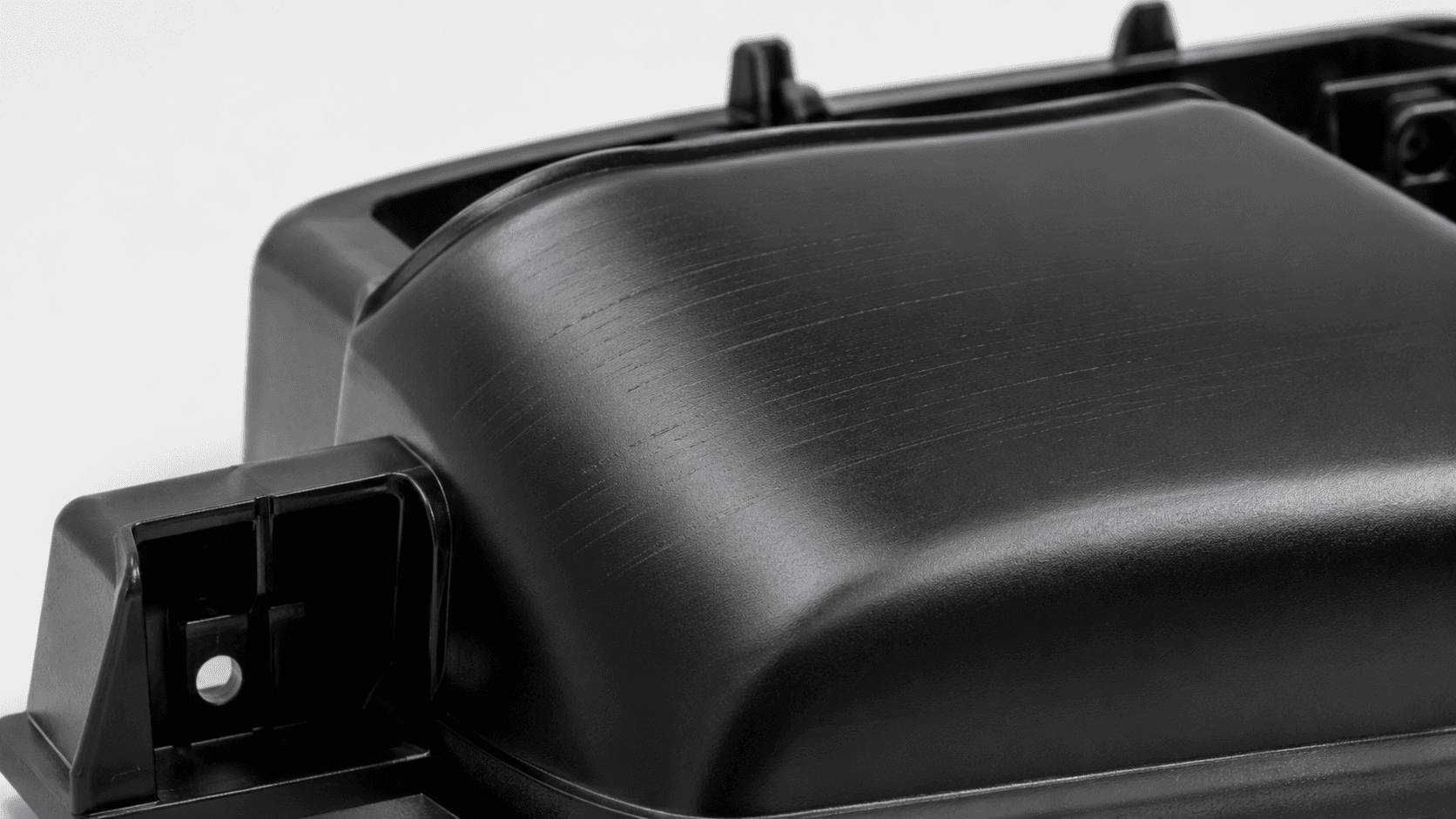
"Streaks" on a black molded part can be several different defects with different causes. Color streaks, which are uneven black, gray or differently glossy bands, usually point to mixing, dosing, carrier compatibility or dispersion. Silver streaks (splay) point to moisture, volatiles or trapped gas. Flow marks come from how the melt flows and cools, burn marks from trapped air or degraded melt, and weld lines from flow fronts meeting. Identify the defect before changing settings: a fix for one type can create another.
Step 1: Identify Which Defect You Have
| Defect | What it looks like | Where it tends to appear |
|---|---|---|
| Color streaks | Darker, grayer or differently glossy bands that follow the flow; may vary from shot to shot | Often starting near the gate and spreading with the flow |
| Silver streaks (splay) | Silvery, elongated marks, often U- or V-shaped and pointing in the flow direction | Near the gate or across the surface |
| Flow marks | Wavy lines, rings or dull bands | Around the gate and at changes in wall thickness |
| Burn marks | Brown or black discoloration, sometimes with a burnt smell | At the end of fill, in blind pockets and near poorly vented areas |
| Weld lines | A fine line or notch where flow fronts meet, sometimes with a gloss difference | Around holes, inserts and between gates |
On a black part, splay and gloss differences can look gray, so view the part under a low-angle light and photograph several consecutive shots before deciding.
Step 2: Diagnose by Symptom
| Symptom | Possible causes | On-site checks | Adjustments to verify |
|---|---|---|---|
| Color streaks | Incomplete mixing; carrier melt viscosity or compatibility not matched to the base resin; poor carbon black dispersion; unstable dosing | Check feeder accuracy and pellet segregation in the hopper; compare with an approved masterbatch lot; check the screw and the back pressure in use | Stabilize dosing or premix; moderate back pressure or screw speed changes within the resin's limits; consider a carrier closer to the base resin |
| Silver streaks | Moisture in hygroscopic resins; volatiles from additives; air drawn in during decompression; degraded material | Check resin and masterbatch moisture with the supplier's method; check the dryer; mold natural resin alone | Dry as specified by the resin supplier; reduce decompression; review melt temperature and residence time |
| Flow marks | Melt or mold temperature too low; injection speed profile; abrupt thickness changes; gate design | Mold short shots at several speeds; check mold temperature uniformity | Adjust injection speed profile or mold temperature within the resin's processing window |
| Burn marks | Air trapped at the end of fill and compressed (diesel effect); blocked or missing vents; excessive injection speed; degraded melt from long residence or high temperature | Use short shots to locate the last-to-fill area; inspect vents; compare shot size with barrel capacity | Clean or add vents; slow the end of fill; reduce melt temperature or residence time; mold changes may be needed |
| Weld lines | Flow fronts meeting at low temperature; pigment orientation at the meeting point | Map where the line forms relative to gates and holes | Adjust gate position, melt and mold temperature, and venting at the weld; visibility can often be reduced but not always removed |
Step 3: Isolate the Source
Before changing the formulation or the machine, find out whether the defect follows the material, the masterbatch, the machine or the mold:
- Mold the natural base resin without masterbatch at the same settings. If the defect remains, the masterbatch is not the main cause.
- Run the current masterbatch lot against a previously approved lot under identical settings.
- Try the same material on another machine with a different screw or barrel, if available.
- Change one parameter at a time and record its effect on several consecutive shots.
- Keep retained samples of the resin and masterbatch lots used in each trial.
When the Masterbatch Is the Cause
Color streaks are the defect most often linked to the masterbatch. Typical reasons include a carrier that does not blend fully with the base resin, for example a polyethylene carrier in a non-polyolefin resin; a large difference in melt flow between carrier and base resin; incomplete carbon black dispersion; an addition rate so low that small dosing variations become visible; and a difference in pellet size or shape that lets masterbatch and resin separate in the hopper. A carrier matched to the base resin, such as a polypropylene carrier for polypropylene parts or a resin-matched carrier for ABS, PA or PC, reduces this risk. How carrier melt flow is specified is explained in our guide to MFI and black masterbatch processing.
Every Adjustment Has a Side Effect
| Adjustment | Can help with | Possible side effects |
|---|---|---|
| Higher back pressure | Mixing and color uniformity | More shear heating, longer recovery, degradation of heat-sensitive resins |
| Higher melt temperature | Flow marks and mixing | Degradation, burn marks, longer cooling, flash |
| Higher injection speed | Flow marks and weld lines | Air traps and burn marks, jetting, flash |
| Lower injection speed | Burn marks | Flow marks, more visible weld lines, short shots |
| Higher mold temperature | Flow marks and gloss | Longer cycle time, changed shrinkage |
| Drying | Splay caused by moisture | Unnecessary for most non-hygroscopic resins; overdrying can degrade some resins |
Processing windows differ widely between PE, PP, ABS, PA and PC, and between grades of the same resin. Use the resin supplier's recommended ranges, and do not transfer settings that worked for one material to another.
Frequently Asked Questions
Is every streak on a black part a dispersion problem?
No. Splay, flow marks, burn marks and weld lines have process, material or mold causes. Poor dispersion is one possible cause of color streaks and specks, and it should be confirmed by comparison trials.
Should back pressure always be increased to remove color streaks?
No. Moderate back pressure can improve mixing, but more back pressure adds shear heat and residence time, which can degrade some resins and create burn marks. Check dosing and carrier compatibility first.
Do PE and PP need drying before molding?
They are not hygroscopic and usually do not need drying unless the material has picked up surface moisture or contains hygroscopic components. Hygroscopic resins such as PA, PC and some grades of ABS should be dried as their suppliers specify.
Can a black masterbatch carrier cause streaks in a different resin?
Yes. If the carrier does not blend fully with the base resin, or its melt flow is very different, color streaks and surface defects can result. A carrier matched to the base resin is the usual remedy.
Related Guides
- How to evaluate black masterbatch dispersion
- How MFI (MFR) relates to black masterbatch processing
- Why black masterbatch may cause blooming or migration
Black Masterbatch for Molded Parts
ZFH offers PP black masterbatch for polypropylene parts and black masterbatch for engineering plastics with carriers for resins such as ABS, PA and PC. If you are investigating streaks, contact ZFH with photos of the defect, the base resin, the masterbatch and addition rate in use, and the main processing settings.
Technical References
Processing adjustments in this article are general directions, not settings for a specific resin or machine. Always follow the resin supplier's processing recommendations.